
Roofing software that turns leads into signed, funded jobs.
Leads from your ads land on a board, the estimate goes out with e-signature and a deposit, you see when the homeowner opens it, and progress payments are first-class. WorkBench FSM is free field service management software for roofers.

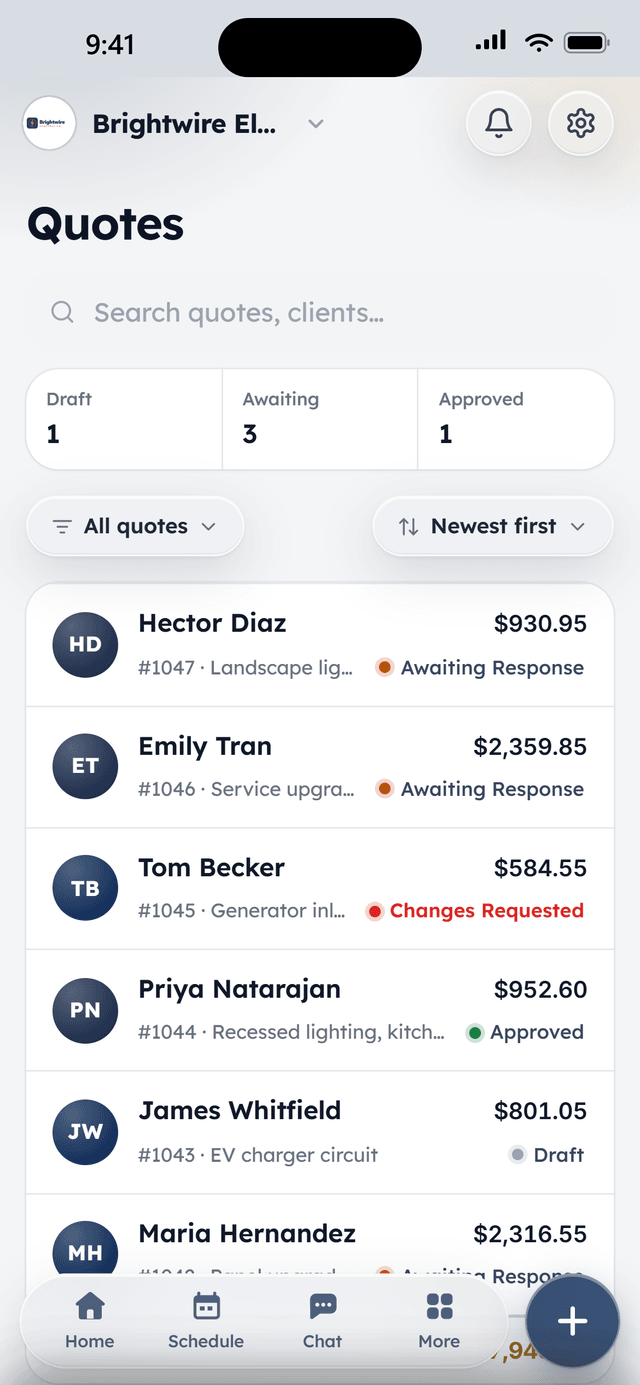
How it works
Every lead on one board
Website forms, Meta and Google lead ads, and calls land on a pipeline board with your own stages. Cards move themselves when a quote goes out or an appointment is set.
Estimates that close
Line items from your price book, options the homeowner can toggle, e-signature on their phone, and a deposit at approval. You see when they open it, so the follow-up lands at the right moment.
Paid in stages
Deposits and partial payments are first-class: collect at signing, at dry-in, and at completion, by card or bank transfer, with the records clean for the bookkeeper.
What's included
All of it is in Core, the free plan.
Lead pipeline
A drag-and-drop board over your contacts with custom stages. Cards advance themselves when a request comes in, an appointment is set, or a quote goes out — and land in Converted when the job is won.
Lead webhook
A plug-in endpoint for your lead sources — Zapier, Make, Meta lead ads, Google lead forms. New leads drop onto the board the moment they exist.
Quotes with e-signature
Line items, optional add-ons the client can toggle, discounts, and deposits. Clients review and sign from their phone; accepted quotes convert to jobs in one click.
Deposits up front
Collect a deposit at quote approval — card or bank transfer — so the job is funded before the truck rolls.
Know when they've looked
See when a client opens a quote or document, so you follow up at the right moment instead of guessing.
Jobs with notes & photos
Every job carries its history: status, notes, and before/after photos from the field, so the office and the crew see the same thing.
From the field
Owners who run their day on WorkBench.
“I used to juggle texts, a spreadsheet, and a separate card reader. Now a customer books online, I send the quote from my phone, and they pay the invoice from a link. One app instead of five.”
 BrendanOwner, Excellent PC Building
“Install season is a sprint. WorkBench keeps every house on the route in order, the crew knows exactly where to go, and deposits are in before we ever pull out a ladder.”
 EdanOwner, Knight Light Christmas Lighting
Questions
Can leads from Facebook and Google ads go straight in?
How do progress payments work?
Can I work with subcontractor crews?
Do photos of the roof go on the job?
Is WorkBench really free for a roofing company?
Free to start. Full access, not a trial.
2 users included, flat-priced add-ons when the crew needs more. Your account opens the day you sign up.