
The calendar is the command center, not a report.
Month, week, and day views with drag-to-schedule, time blocks, and per-tech filtering. Recurring visit series generate real jobs weeks ahead, every job carries its own notes, photos, and status, and each person can sync their schedule with their own Google Calendar — so the office and the crew are always looking at the same thing.

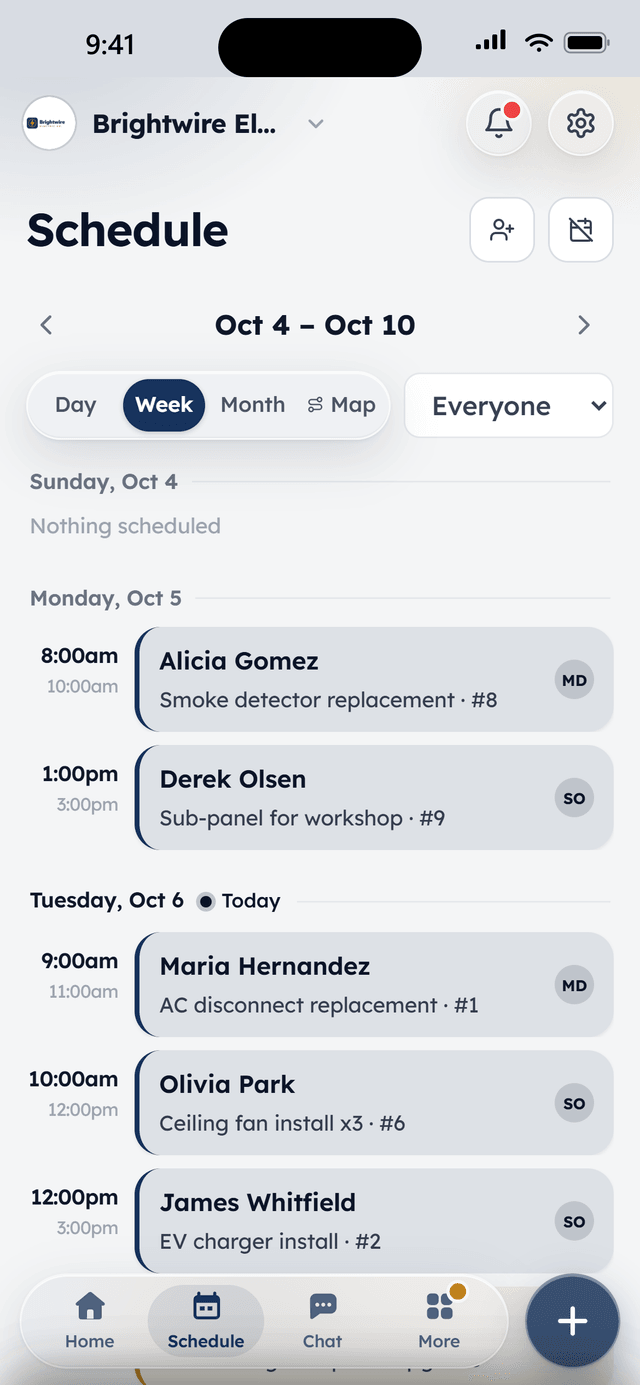
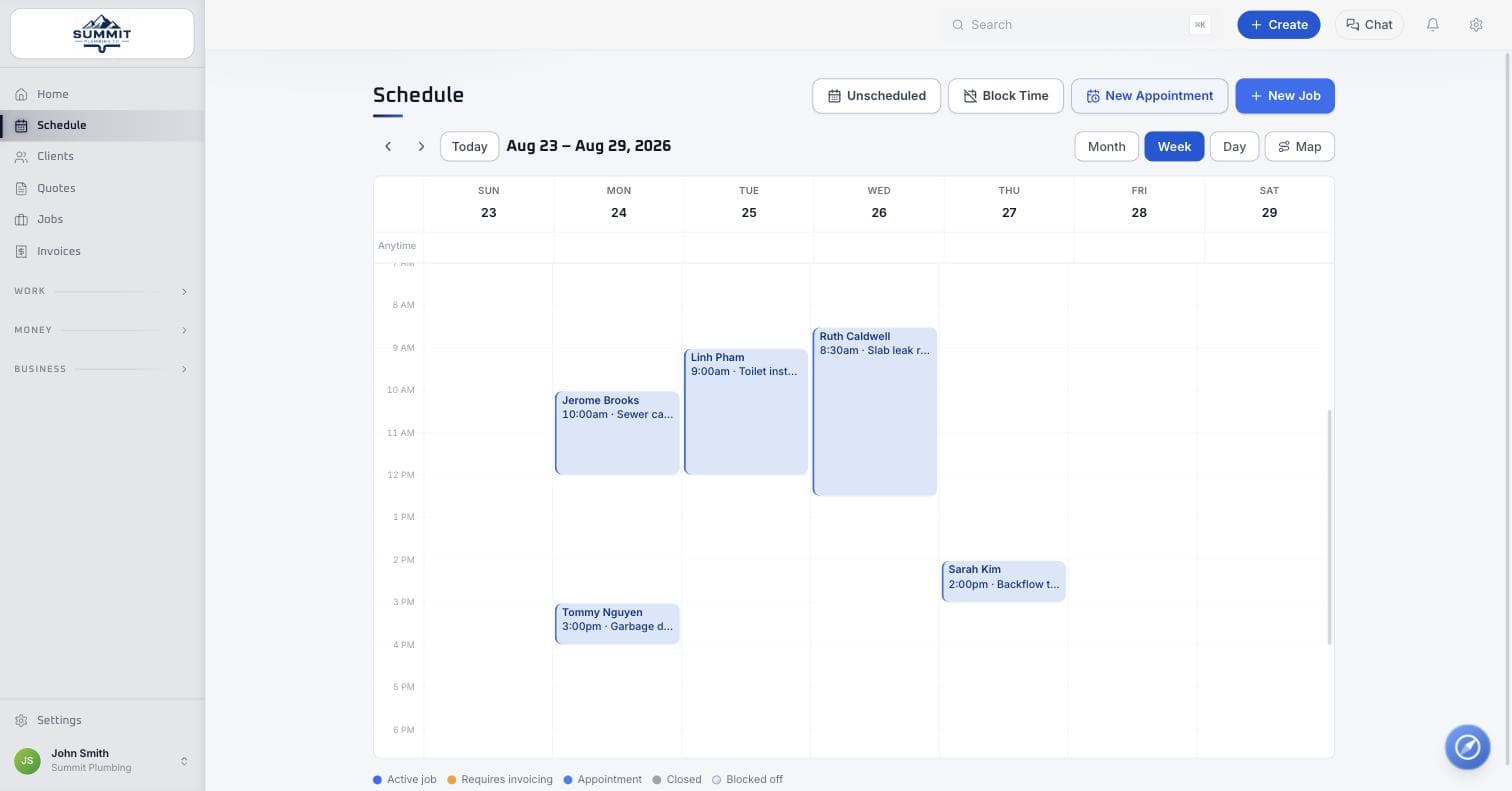
Month, week, and day views — drag any job to reschedule it.
How it works
A job lands on the board
From a booking request, an accepted quote, or a manual add — new jobs show up unscheduled until someone drags them onto a day.
Dispatch drags it into place
Assign a tech, set a time block, and it's on the calendar. Recurring work generates its own run of future visits automatically.
The crew works from their phone
Techs see their day, clock in, add notes and photos, and update status — all from the WorkBench app in the field.
What's included
In Core, the free plan, unless marked with an add-on.
Scheduling & dispatch
Month, week, and day views with drag-to-schedule, time blocks, and per-tech filtering. The calendar is the command center, not a read-only report.
Recurring visit series
Weekly mows, quarterly filter changes, biweekly cleans — visit schedules generate real jobs weeks ahead that dispatchers can drag, reschedule, or skip one at a time.
Jobs with notes & photos
Every job carries its history: status, notes, and before/after photos from the field, so the office and the crew see the same thing.
Team mapPro
See who's on the clock and where — a live map of clocked-in techs. Location is only ever collected while someone is clocked in, never off hours.
Roles & permissions
Owner, admin, sales, and tech roles out of the box, each seeing what they need and nothing they don't. Two users are included free; more are $10 a month each, or unlimited with Pro.
Built for speed
A command palette and keyboard shortcuts across the whole app — jump anywhere, create anything, without touching the mouse.
From the field
Owners who run their day on WorkBench.
“I used to juggle texts, a spreadsheet, and a separate card reader. Now a customer books online, I send the quote from my phone, and they pay the invoice from a link. One app instead of five.”
 BrendanOwner, Excellent PC Building
“Install season is a sprint. WorkBench keeps every house on the route in order, the crew knows exactly where to go, and deposits are in before we ever pull out a ladder.”
 EdanOwner, Knight Light Christmas Lighting
Questions
Can techs see only their own schedule?
Yes. Roles and permissions filter what each seat sees — a tech opens the app to their own day, while owners, admins, and dispatchers see the whole board with per-tech filtering.
How do recurring jobs work — do I have to schedule every visit by hand?
No. Set a visit series once (weekly mows, quarterly filter changes, biweekly cleans) and WorkBench generates real jobs several weeks ahead. A dispatcher can drag one visit to a different day, skip a single occurrence, or delete it — the rest of the series is untouched.
Is the team map always tracking location?
Never off the clock. A tech's location is only ever collected while they're clocked in on a job — clock out and the pings stop. There's no background or all-day tracking.
Does it sync with Google Calendar?
Yes, both ways. Each person connects their own Google account from My Profile. Their WorkBench jobs, appointments, and blocked time appear in Google Calendar and stay updated as the schedule moves, and anything marked Busy in their Google Calendar shows up in WorkBench as blocked time so online booking and dispatch don't book over it. It only reads event times and free/busy status; event names stay private unless the person chooses to share them, and disconnecting removes everything WorkBench added. Apple Calendar and Outlook users get a private subscribe link instead.
What happens when a job's schedule changes?
Dragging a job to a new day or time updates it everywhere at once — the client's hub, the assigned tech's app, and any reminder that was queued to go out.
Keep exploring
Free to start. Full access, not a trial.
Two users included, flat-priced add-ons when the crew needs more. Apply, and we'll onboard your company personally.