
Every feature in WorkBench
WorkBench covers the whole arc of a job: winning it, running it, getting paid for it, and keeping the client for the next one. Nearly all of sections 01 to 04 are in Core, the free plan, with full access for two users. The few marked Pro come with that add-on, alongside the estimator, routes, automations, and QuickBooks. Atlas, the AI assistant, gives every account free tokens each month, with a larger paid allowance for heavy users.

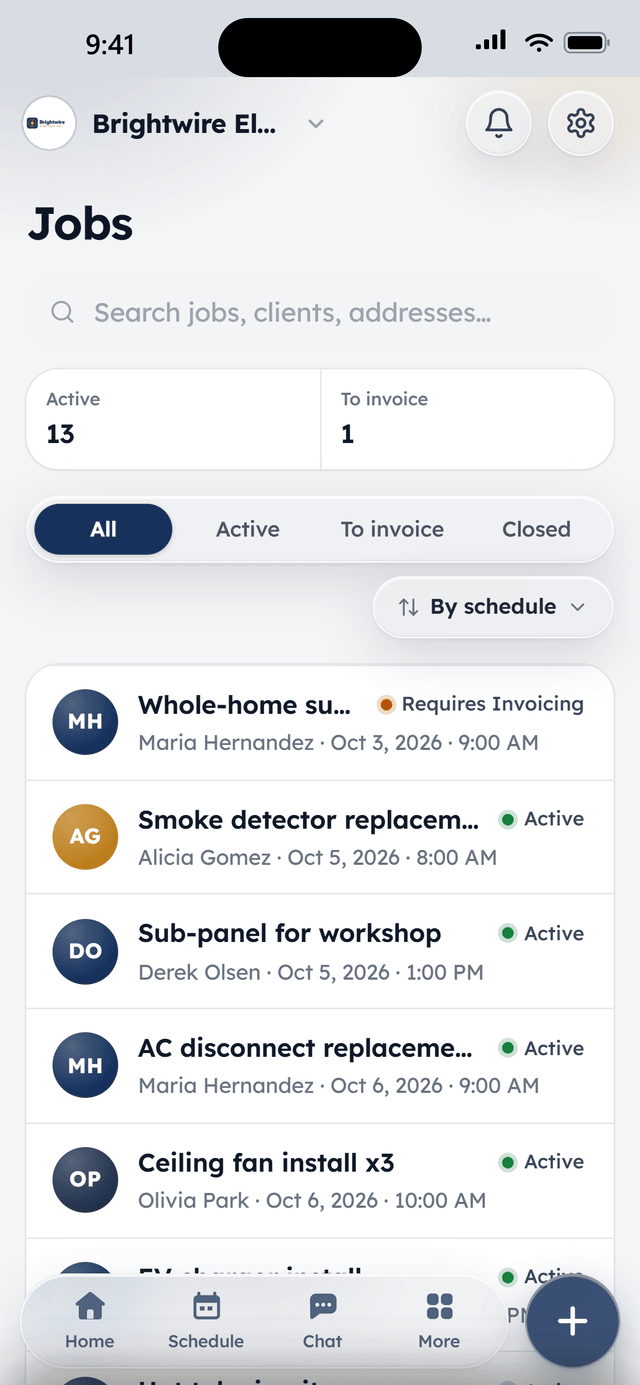
Win the work
From the first website visit to a signed quote — intake that fills the calendar instead of the voicemail box.
Online booking
An embeddable booking widget for your website that shows real availability. Jobs that need a look first go through an approval loop instead of landing straight on the calendar.
Lead pipeline
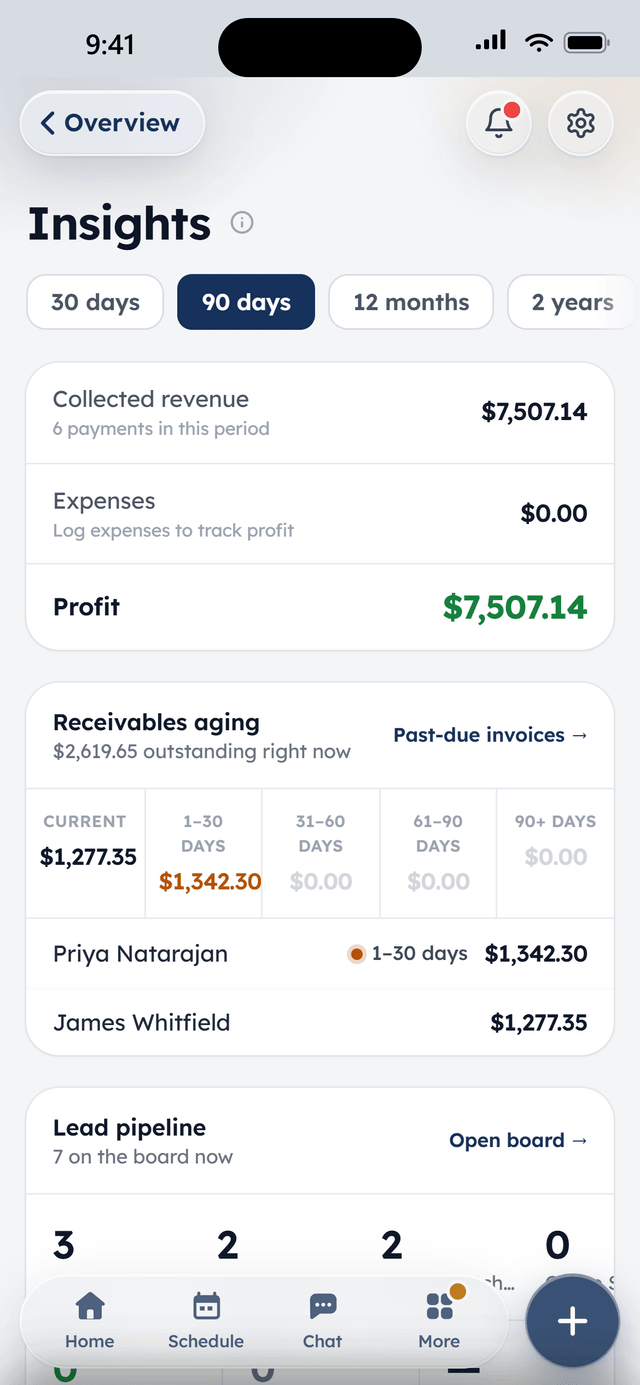
A drag-and-drop board over your contacts with custom stages. Cards advance themselves when a request comes in, an appointment is set, or a quote goes out — and land in Converted when the job is won.
Lead webhook
A plug-in endpoint for your lead sources — Zapier, Make, Meta lead ads, Google lead forms. New leads drop onto the board the moment they exist.
Quotes with e-signature
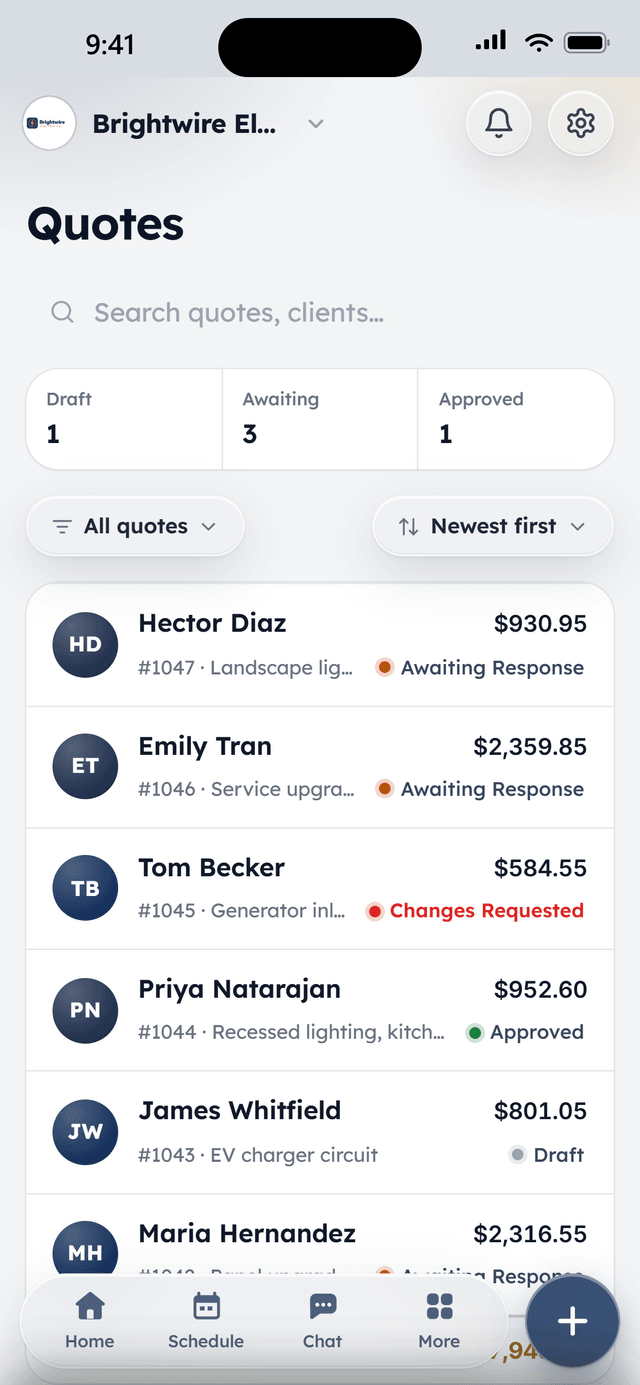
Line items, optional add-ons the client can toggle, discounts, and deposits. Clients review and sign from their phone; accepted quotes convert to jobs in one click.
Quote follow-ups
A quote that sits unanswered gets a friendly nudge at 3 and 7 days, automatically. No more spreadsheet of “need to call back.”
Deposits up front
Collect a deposit at quote approval — card or bank transfer — so the job is funded before the truck rolls.
Run the day
Dispatch, field work, and the crew — everything between “scheduled” and “done.”
Scheduling & dispatch
Month, week, and day views with drag-to-schedule, time blocks, and per-tech filtering. The calendar is the command center, not a read-only report.
Google Calendar sync
Each team member can connect their own Google Calendar: their WorkBench jobs and appointments show up in Google, and anything they're busy with in Google shows up here as blocked time so nobody books over it. Apple Calendar and Outlook get a private subscribe link.
Recurring visit series
Weekly mows, quarterly filter changes, biweekly cleans — visit schedules generate real jobs weeks ahead that dispatchers can drag, reschedule, or skip one at a time.
Jobs with notes & photos
Every job carries its history: status, notes, and before/after photos from the field, so the office and the crew see the same thing.
Time tracking & timesheetsPro
Techs clock in and out right on the job, on every plan. With Pro, weekly timesheets roll up per person, managers can fix a forgotten clock-out, and logged hours flow into each job's profit margin as real labor cost.
Team mapPro
See who's on the clock and where — a live map of clocked-in techs. Location is only ever collected while someone is clocked in, never off hours.
Team chat
A company channel, direct messages, and group threads with push notifications — job details stop living in six different text conversations.
Roles & permissions
Owner, admin, sales, and tech roles out of the box, each seeing what they need and nothing they don't. Two users are included free; more are $10 a month each, or unlimited with Pro.
Built for speed
A command palette and keyboard shortcuts across the whole app — jump anywhere, create anything, without touching the mouse.
Get paid
Invoices go out in one click, money comes back on rails — and the chasing happens automatically.
Card & ACH built in
Every invoice, quote, and booking can take card or bank payments at one flat rate — 2.9% + 30¢ per card transaction, 0.75% + 30¢ ACH. No monthly fees, no minimums.
One-click invoicing
Finish a job, send the invoice. Clients pay from a link on their phone; deposits and partial payments are first-class, not a workaround.
Saved cards & autopay
Clients keep a card on file, recurring work charges itself, and a declined card retries on a smart schedule with the client nudged to update it — before you ever have to make the awkward call.
Recurring billing, three ways
Flat monthly plans, bill-after-each-visit, or per-visit work consolidated into one tidy monthly invoice with a dated line per visit. Pick per client.
Payment reminders
Unpaid invoices get escalating reminders — on the due date, then 3, 7, and 14 days after — that stop the moment the money lands.
Payouts & refunds
Payouts go straight to your bank on an automatic schedule, and a refund is one button — full or partial — with the records kept clean for your bookkeeper.
Products & services price book
Your services live in one price book with set rates — quotes and invoices pull from it, and a service can be marked recurring to start a plan automatically when it sells.
Job profitability
Each job shows its margin — revenue against materials and real labor cost from the time clock — so you know which work is worth chasing.
Keep clients close
A client experience that looks like a company twice your size — without hiring anyone.
Client hub
A magic-link portal — no account, no password — where clients see upcoming visits, review invoices, sign agreements, request more work, and pay.
Two-way messaging
Clients message from the hub, your team answers from one shared inbox with unread counts — so the conversation lives in one place instead of six text threads.
Automatic notifications
Booking confirmations, visit reminders the day before and an hour out, payment receipts — all sent from your business, all without anyone remembering to do it.
Agreements & contractsPro
Service agreements and contracts with e-signature, stored on the client and visible in their hub.
Know when they've looked
See when a client opens a quote or document, so you follow up at the right moment instead of guessing.
Review requests
After a payment lands, WorkBench asks the happy client for a review and points them at your Google listing while the goodwill is fresh.
Atlas, the AI assistant
Atlas works the same tools your team does, with the same permissions, and it confirms with you before anything goes out the door. Ask it to do the busywork in plain English.
10,000 free tokens every month on every account. Atlas Full is 150,000 a month for $20 on its own, and included with Pro; it is the one thing with a meter.
Atlas, in depthThings you can ask
- “Send the Hendersons their quote.”
- “Reschedule Tuesday's jobs to Friday.”
- “Who still owes me money?”
- “Book a follow-up visit for the Elm Street job.”
Works where the work is
Native iPhone and Android apps with push notifications for requests, bookings, chat, and payments — and the web app runs on anything with a browser.
Push that matters
New requests, bookings, chat messages, and payments land on the phone the moment they happen.
Offline on the job site
Today's schedule and job details stay viewable with no signal — basements, crawl spaces, and dead zones included.
The field runs from a pocket
Clock in, add photos and notes, message the office, and collect payment without ever opening a laptop.


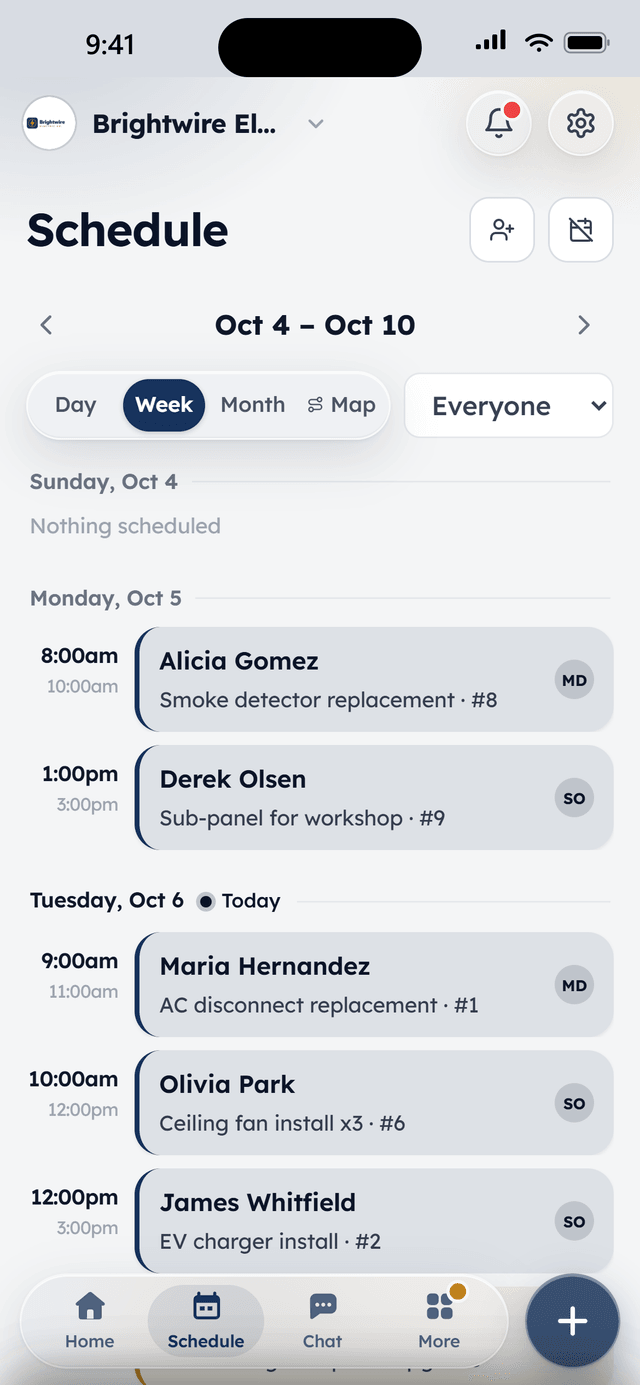
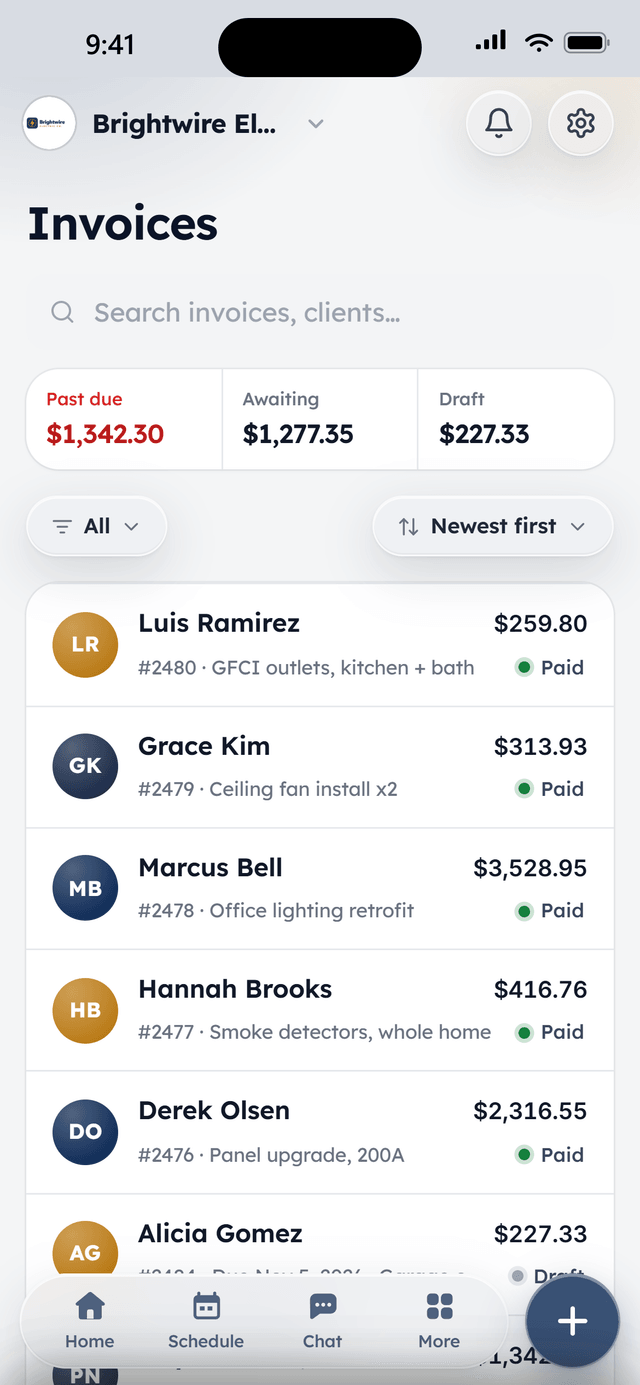
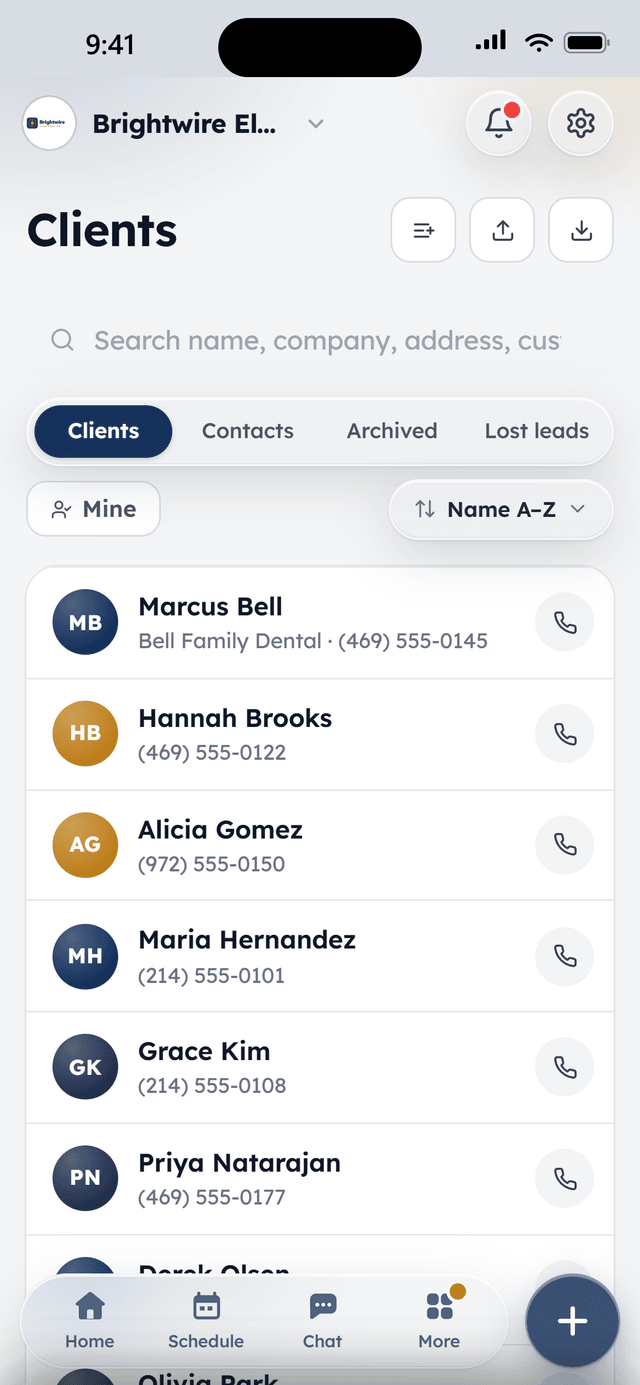
The week, per tech
From the field
Owners who run their day on WorkBench.
“I used to juggle texts, a spreadsheet, and a separate card reader. Now a customer books online, I send the quote from my phone, and they pay the invoice from a link. One app instead of five.”
 BrendanOwner, Excellent PC Building
“Install season is a sprint. WorkBench keeps every house on the route in order, the crew knows exactly where to go, and deposits are in before we ever pull out a ladder.”
 EdanOwner, Knight Light Christmas Lighting
Free to start. Add more when the crew needs it.
Full access for two users, not a trial, and flat-priced add-ons when you want them. Sign up and we onboard your company personally.