
Run the entire job
from one place.
WorkBench FSM is field service management software: scheduling, quotes, invoicing, and payments for home-service companies. The Core plan is free for your first 2 users, with full access and no trial clock. Add users or add-ons only when you need them.
No credit card. No trial clock. Not a trial.


Free for your first 2 users
The Core plan is full access, not a trial. Extra users are $10 a month each.
One flat payment rate
2.9% + 30¢ per card transaction, 0.75% + 30¢ per ACH transfer. Nothing monthly.
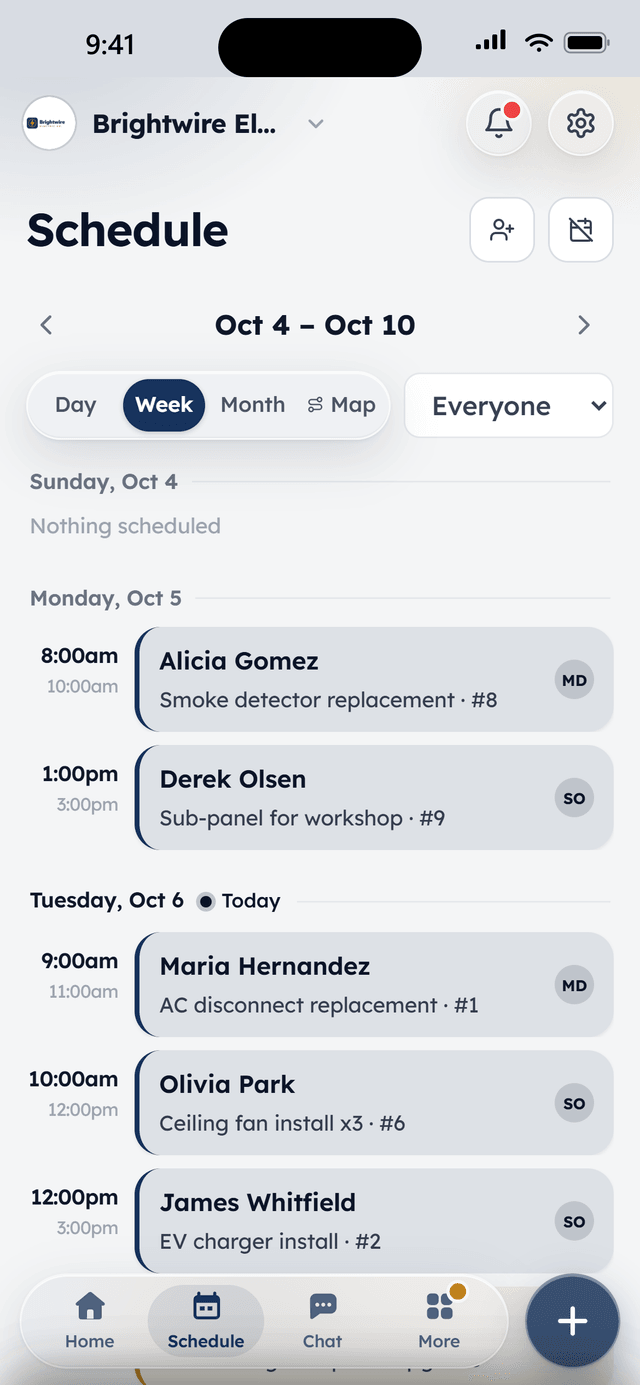
iPhone and Android apps
Push notifications, an offline schedule, and invoices sent from the driveway.
See it in action
WorkBench in 30 seconds.
What WorkBench does
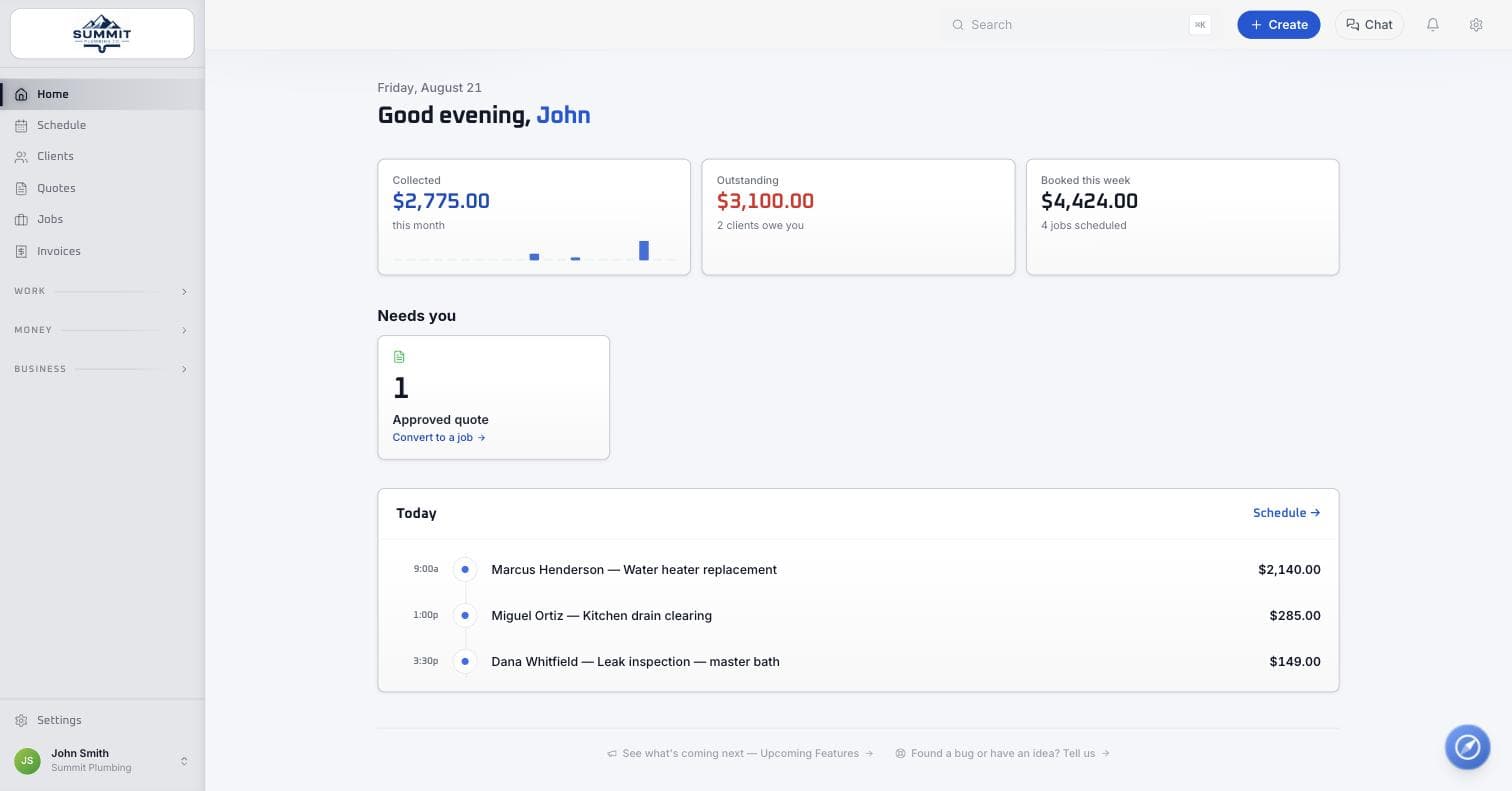
One system from the first call to the paid invoice. Nothing to bolt on.
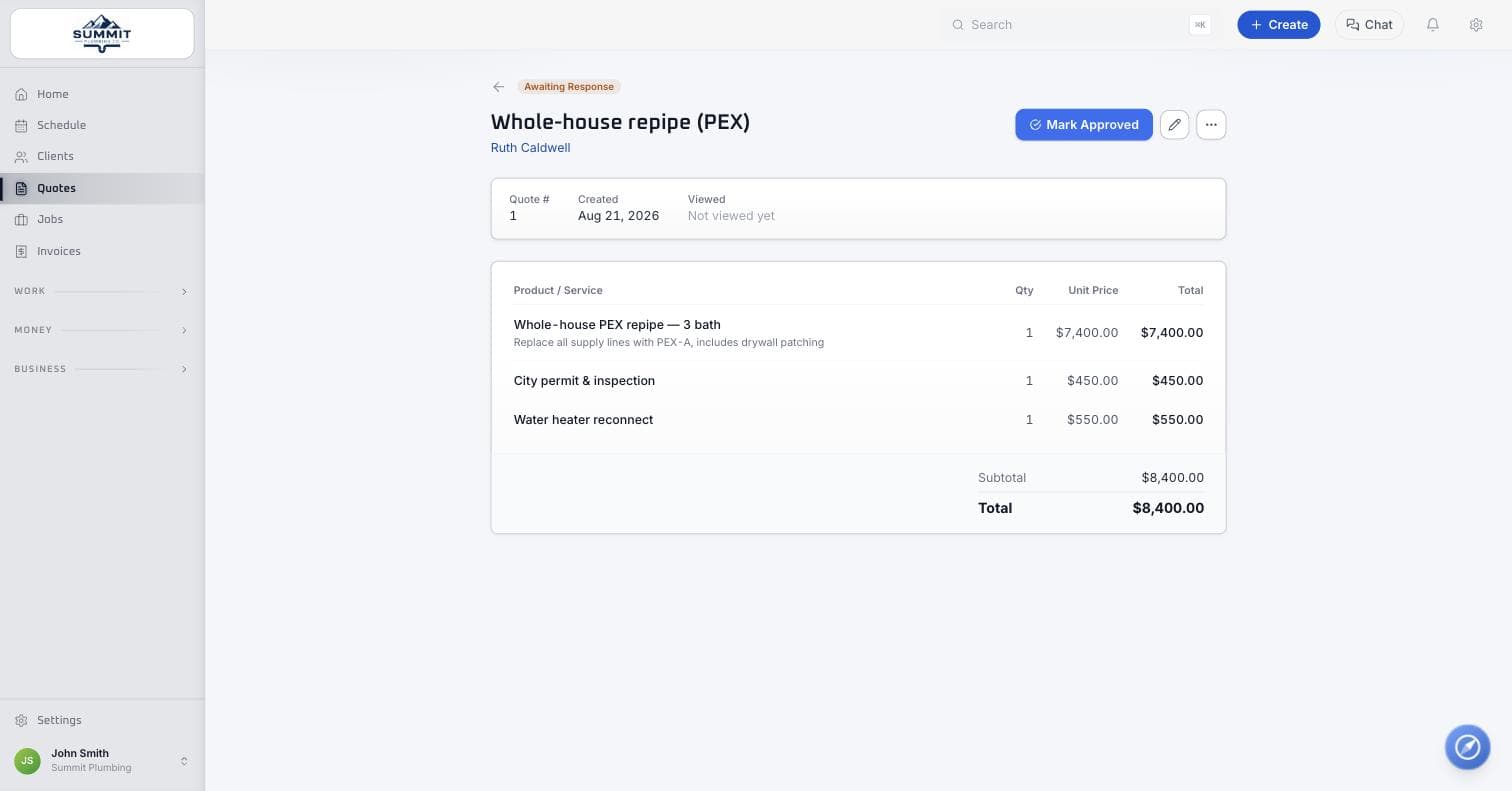
Requests come in booked, and quotes get signed from a phone.
A booking page on your website fills the calendar. Every request lands in a pipeline, and quotes go out with line items, optional add-ons, and a signature link.
- Online booking with your real availability
- Lead pipeline so nothing waits in voicemail
- Quotes with e-signature and deposits
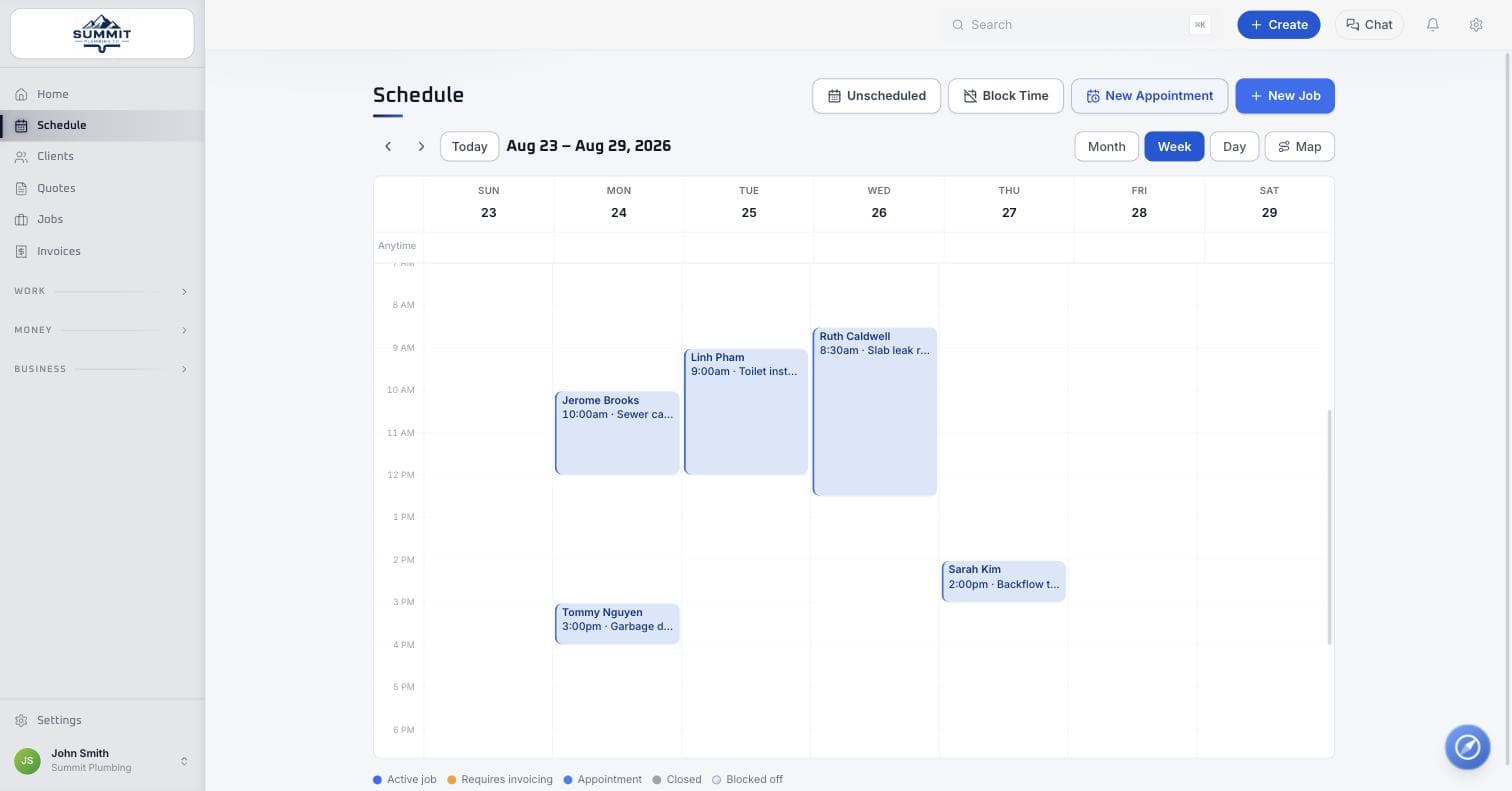
Drag jobs onto the calendar and the whole team sees it.
Month, week, and day views with drag-to-schedule, recurring visits, time blocks, and a dispatch board per tech. Techs clock in from the job and chat with the office.
- Scheduling and dispatch with drive time
- Time tracking and timesheets for payroll
- Team chat without a second app
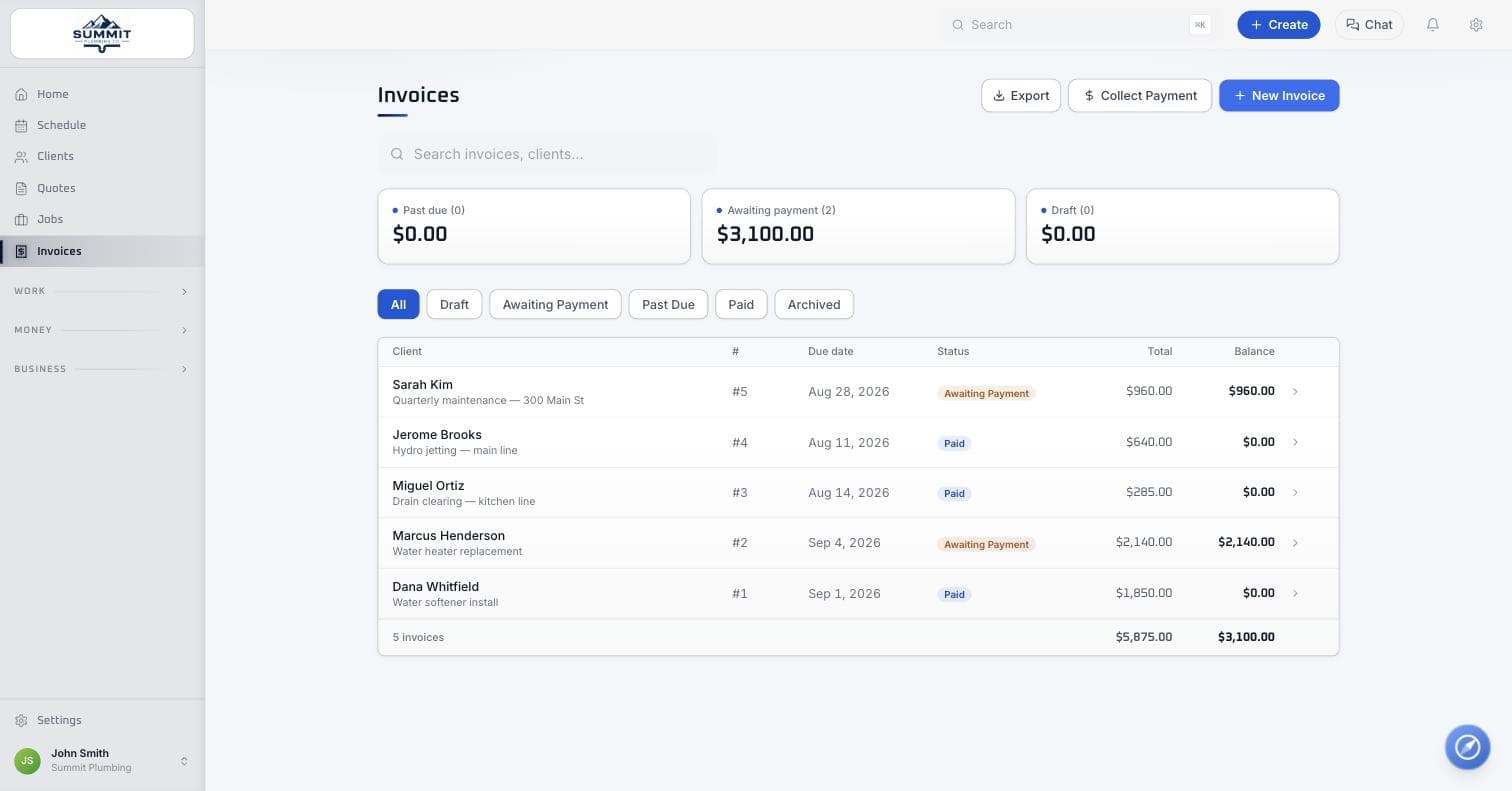
One click turns the finished job into an invoice with a Pay button.
Card and ACH are built in at one flat rate. Deposits, partial payments, autopay for recurring plans, and reminders that go out on their own.
- Invoices from the driveway, paid from a link
- 2.9% + 30¢ per card, 0.75% + 30¢ per ACH transfer
- Recurring billing and one-click refunds
Every client gets a portal, and the morning tells you who needs you.
Clients see visits, sign agreements, message your team, and pay from a link with no password. Your dashboard opens on what needs a decision today.
- Client portal with no login to forget
- Review requests after the job closes
- Recurring plans and full client history
Also included: recurring plans, review requests, a team map, contracts, and one-click refunds. See every feature
Works with
 QuickBooks Online
 Google Calendar


- ACH
Atlas, the built-in assistant
Ask in plain English. Atlas does the busywork. It asks before anything goes out.
Send the Hendersons their quote.
Quote #1042 is ready for Sarah Henderson. Here is what goes out:
312 tokens
Needs your OK
Send quote #1042
Sending anything to a client gets a card first. Atlas lays out exactly what goes out, and nothing moves until you tap Send.
Who still owes me money?
Three invoices are open, $3,100.00 in total. Marcus Henderson is the oldest at 21 days. Want me to send reminders?
540 tokens
3 changes · needs your OK
Send 3 payment reminders
- 1Marcus Henderson · #1031 · $2,140.00 · 21 days
- 2Ortiz Rentals · #1019 · $811.00 · 12 days
- 3Dana Whitfield · #1027 · $149.00 · 5 days
Questions come back with the real numbers from your books, and the obvious next step is already drafted as a batch you can approve at once.
Reschedule Tuesday’s jobs to Friday.
Moved all three to Friday the 25th in the same order, drive time intact. Each client got a text with the new time.
1,120 tokens
Applied
Move 3 jobs to Fri, Sep 25
- 1Henderson · water heater · 9:00 am
- 2Ortiz · drain clearing · 1:00 pm
- 3Whitfield · leak inspection · 3:30 pm
A whole day can move in one ask. Once you approve, the card stamps itself done and the clients hear about the new time.
Built for the trades
Made for companies that send people to a customer’s home.
Quotes are priced by the job, schedules are built around drive time, and invoices are sent from the driveway. If your trade is on this list, it fits.


A day on the job
Built for the truck, not the desk. Here is a morning with WorkBench.
 7:00 AM
Today’s route
3 stops · 38 min driving
- 18:00Ravenwood Dr
- 210:30Oak Hollow Ln
- 31:00Elm St
1Load the van, open the app
The day's jobs are already on the phone in drive order, with the address, the notes, and what was quoted.
 9:40 AM
Text to Maria Lopez
Hi Maria, Jake from Brightwire Electric is on the way. See you around 9:45.
Clocked in · 9:41 AM
2On the porch, on the clock
The client already got an on-my-way text. Clock in, snap the before photos, and the office sees it all live.
 11:15 AM
Invoice #2481
$1,240.00
Visa ···· 4242 · 11:16 AM
Job marked paid
3Paid before you back out
Send the invoice from the driveway. They pay by card or bank from the text, and the job is marked paid.
The mobile app
Take the office into the field.
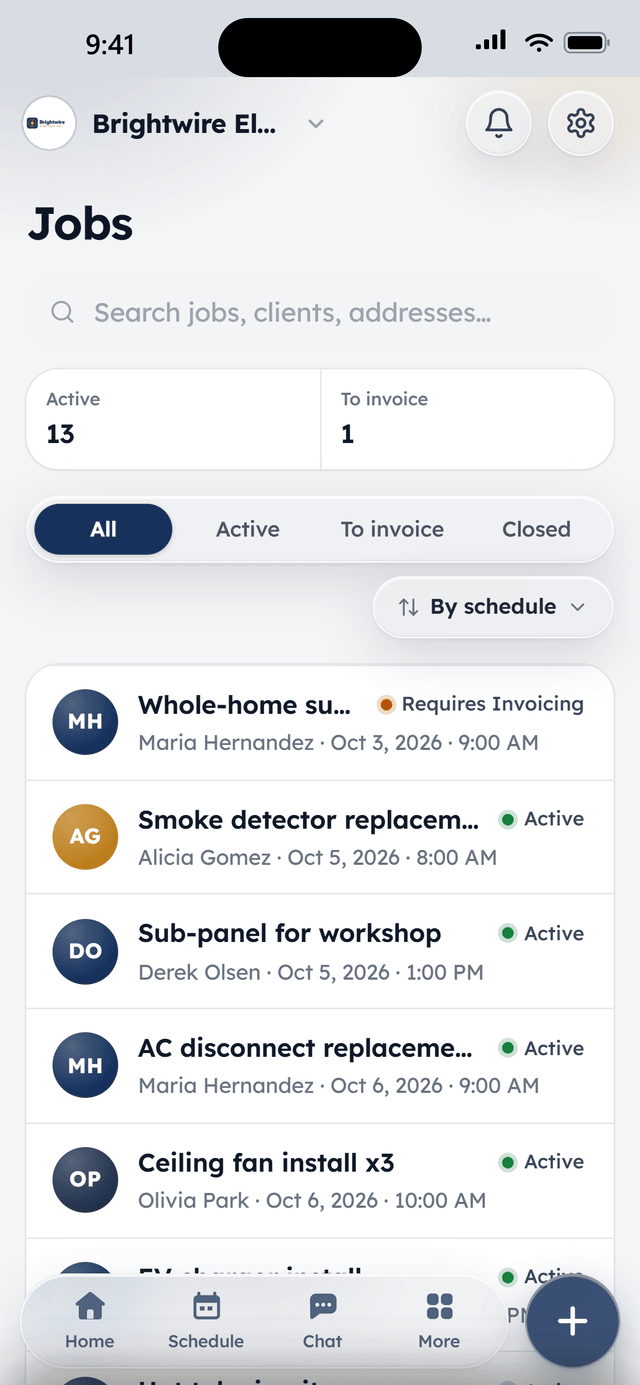
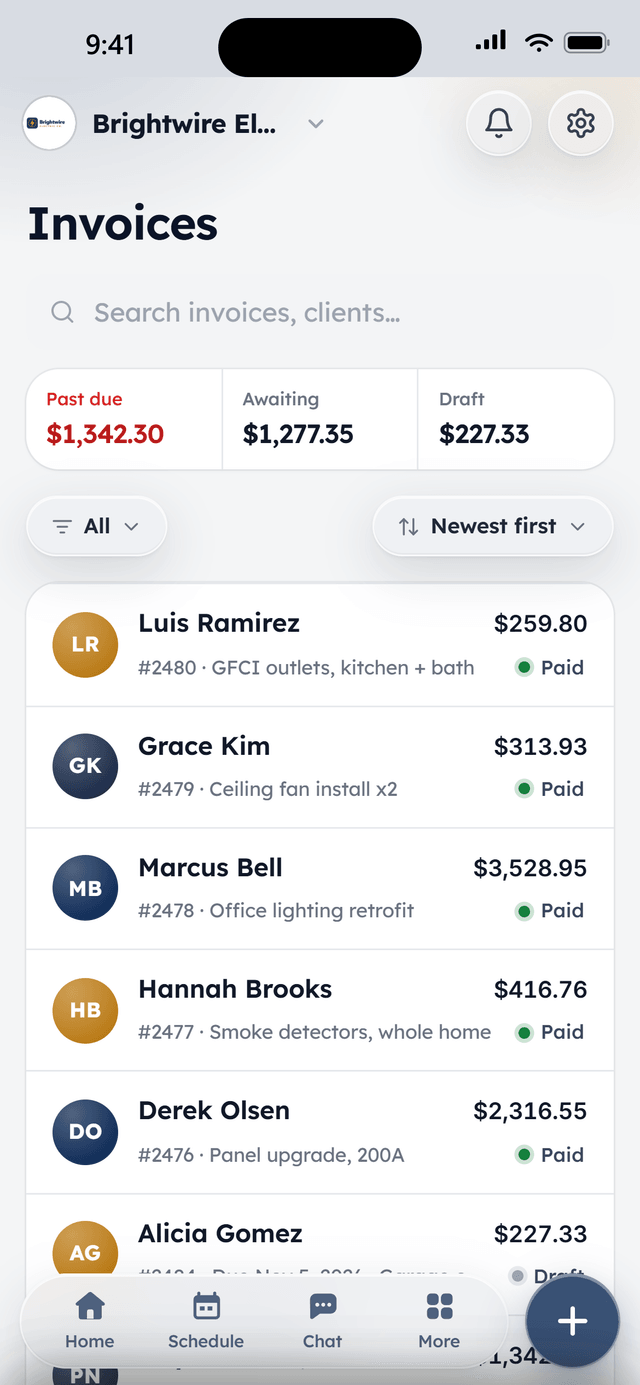
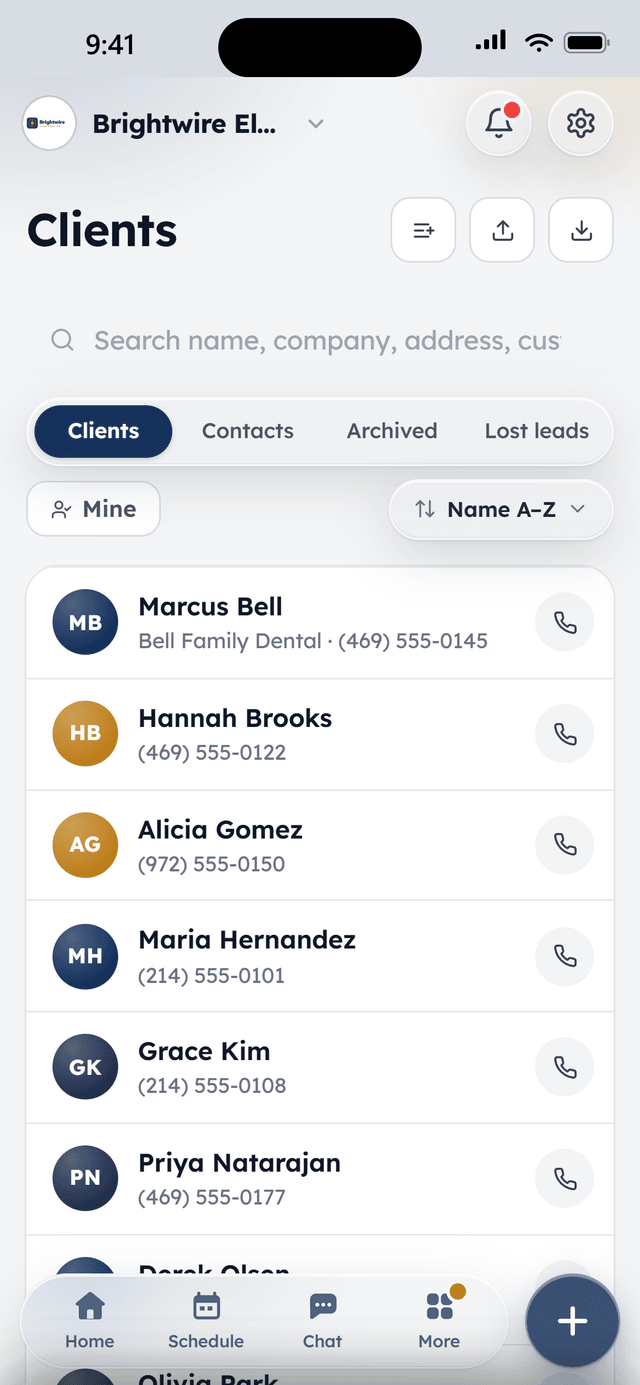
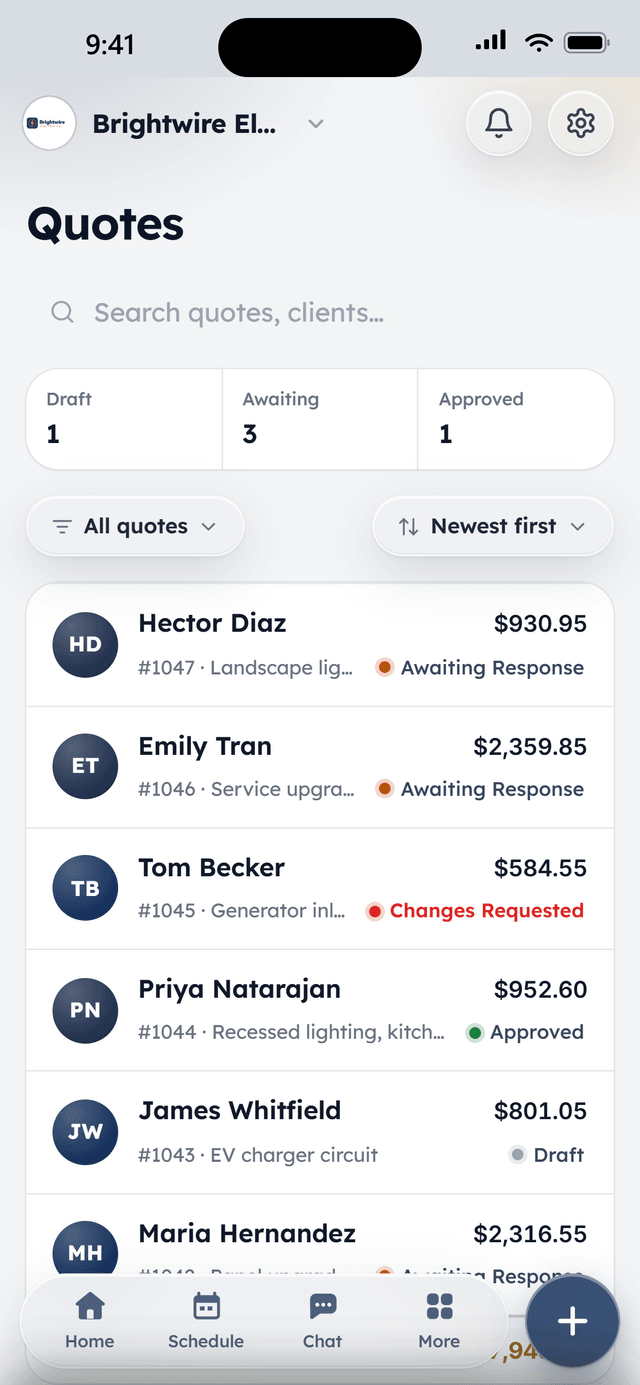
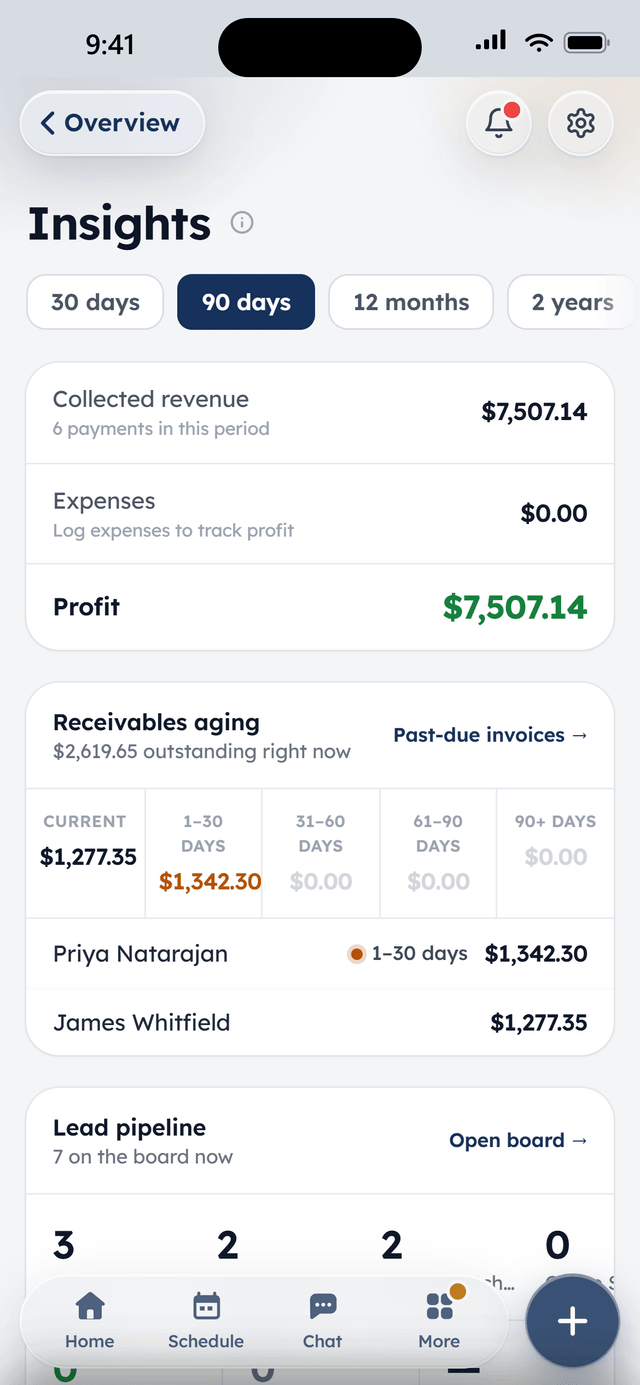
The native iPhone and Android apps carry the whole system: schedule, jobs, chat, invoices, and Atlas. Techs never need a laptop between the truck and the crawl space.
Notifications that matter
New requests, bookings, chat messages, and payments land on the phone the moment they happen.
Works offline
Today's schedule and job details stay viewable with no signal, basements and dead zones included.
Field work, start to finish
Clock in on the job, add photos and notes, message the office, and send the invoice before leaving the driveway.


The week, per tech
From the field
Owners who run their day on WorkBench.
“I used to juggle texts, a spreadsheet, and a separate card reader. Now a customer books online, I send the quote from my phone, and they pay the invoice from a link. One app instead of five.”
 BrendanOwner, Excellent PC Building
“Install season is a sprint. WorkBench keeps every house on the route in order, the crew knows exactly where to go, and deposits are in before we ever pull out a ladder.”
 EdanOwner, Knight Light Christmas Lighting
Pricing
Free to start. We earn when the job gets paid.
The core software is free for 2 users, with full access and no trial clock. Three optional add-ons cover a business phone line, unlimited users with the ops tools, and job photos. The rest is funded by built-in payment processing at one flat rate.
- Full access on Core, not a trial
- Add-ons priced flat per company, from $25 a month
- Cash and check invoices stay free too
- No contracts. Your data exports any time
What WorkBench costs
The Core plan- The software
- Core plan, free
- Users
- 2 included, $10 each after
- Monthly fee
- $0 on Core
- Card payments
- 2.9% + 30¢
- ACH bank transfers
- 0.75% + 30¢
- Atlas tokens
- 10,000 free a month
- Add-ons
- From $25 a month
No monthly fee on Core, no minimums, no charge on failed payments. Voice, Pro, and Gallery are optional add-ons and cancel any time.
WorkBench in action
Watch it work. Short clips, no sound needed.
Quote to job in two taps
The client said yes on the phone. Approve it and it's a job.
How it worksAsk Atlas anything
Ask about your numbers or tell it what to do. You approve every change.
How it worksThat's just a few of the things WorkBench can do. Contact us to learn more
Questions
Frequently asked questions
Is WorkBench really free?
The Core plan is. Every essential feature for 2 users, with full access, no trial clock, and no credit card required. Extra users are $10 a month each, and three optional add-ons (a business phone line, unlimited users with the ops tools, and job photos) are priced flat per company. The core is funded by built-in payment processing: when a client pays an invoice through WorkBench, a small slice of the flat processing fee is what keeps the lights on. The full breakdown is on the pricing page.
What does payment processing cost?
One flat rate: 2.9% + 30¢ per successful card transaction and 0.75% + 30¢ per ACH bank transfer. There are no monthly processing fees, no minimums, and no charge on failed payments.
Do I have to take card payments through WorkBench?
No. Cash and check payments can be recorded on any invoice, and the Core plan stays free either way. Card and ACH are built in for when you want them, on invoices, quotes with deposits, and online bookings.
How does getting started work?
Because WorkBench moves real money, every company on it is verified. Tell us about your business, then complete a short payment-verification form (the same KYC check every payments provider runs) and your account opens. A person also reviews every application within a business day, and most companies are quoting and scheduling the same day they sign up. If you would rather talk first, call (833) 495-0229.
Is there a mobile app?
Yes. Native apps for iPhone on the App Store and Android on Google Play, with push notifications for requests, bookings, chat, and payments, plus offline viewing of the schedule when a job site has no signal. The web app works on any device.
Will features I use ever move behind a paywall?
No. The features on your plan stay on your plan. If our pricing or packaging ever changes, existing customers are grandfathered in on everything they already use.
What does FSM stand for?
Field service management. WorkBench FSM is the full name of the product, and it is how the app is listed on the App Store and Google Play. On this site we usually just say WorkBench. It is not related to any other software called Workbench.
Can I get my data out?
Any time. There are no contracts, and your clients, jobs, quotes, and invoices export whenever you want them.
Ready to get started?
Tell us about your business and your account opens today. A person reviews every application and onboards your company personally.