
Money comes back on rails, not on hope.
Every invoice, quote, and booking can take card or bank payments at one flat rate — no monthly fees, no minimums. Saved cards autopay recurring work, declines retry automatically, and unpaid invoices get escalating reminders until the money lands.

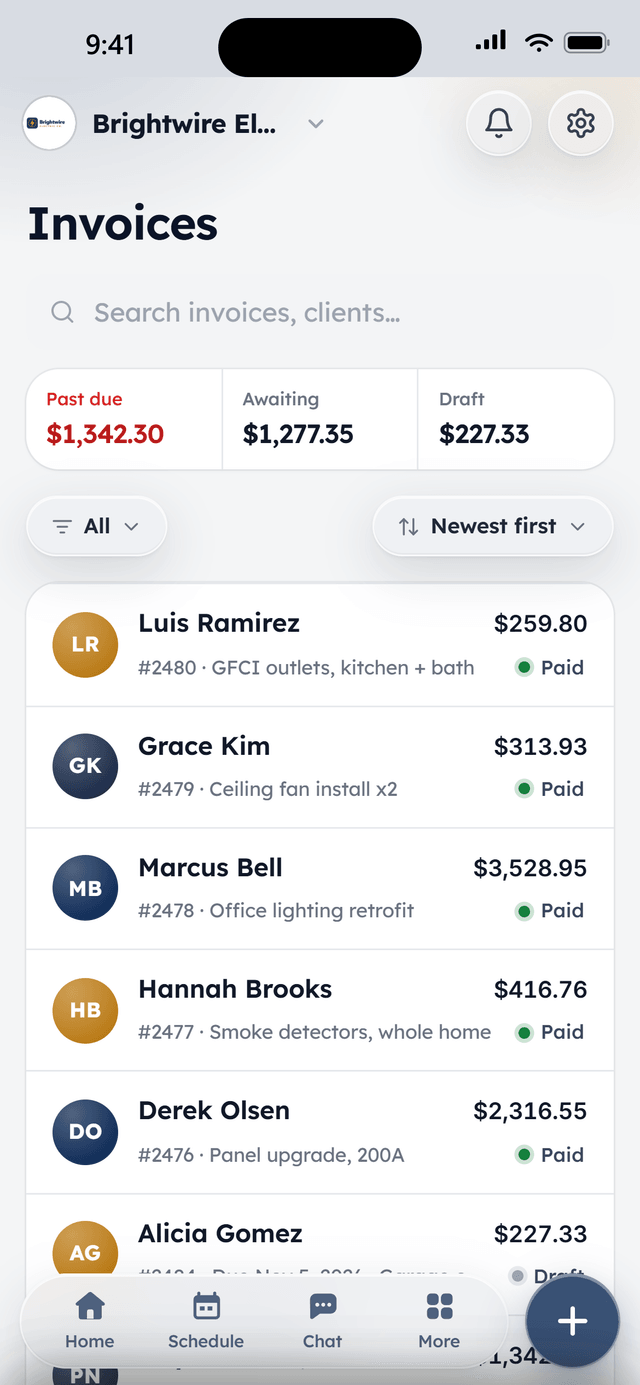
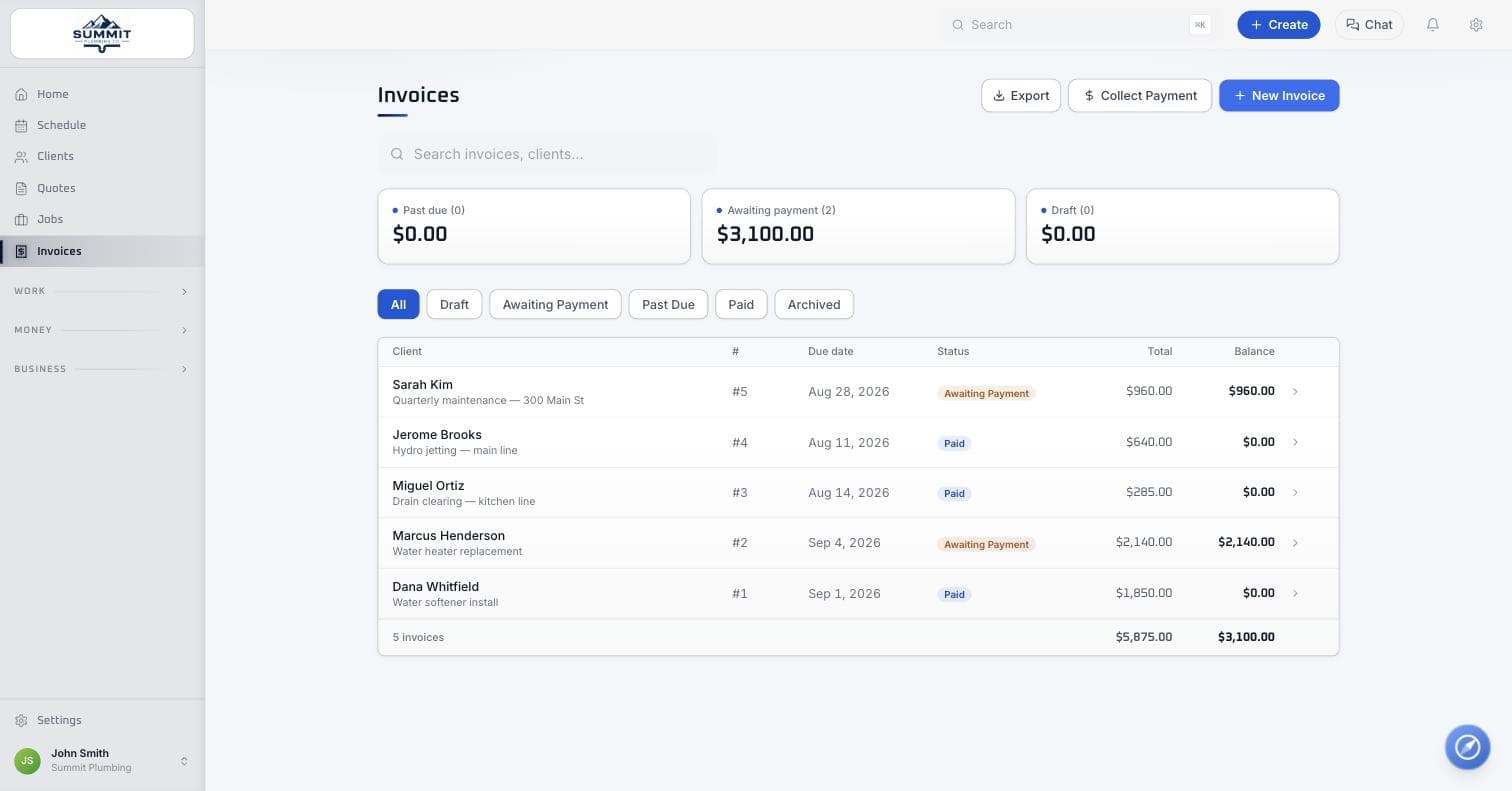
Every invoice shows its payment status at a glance.
How it works
Send the invoice
Finish a job and send the invoice in one click — the client gets a pay link on their phone.
They pay in a tap
Card or ACH, right from the link. A card on file means recurring work just charges itself.
Money lands, automatically
Payouts hit your bank on schedule, unpaid invoices get reminded for you, and refunds are one button if you need one.
What's included
All of it is in Core, the free plan.
Card & ACH built in
Every invoice, quote, and booking can take card or bank payments at one flat rate — 2.9% + 30¢ per card transaction, 0.75% + 30¢ ACH. No monthly fees, no minimums.
One-click invoicing
Finish a job, send the invoice. Clients pay from a link on their phone; deposits and partial payments are first-class, not a workaround.
Saved cards & autopay
Clients keep a card on file, recurring work charges itself, and a declined card retries on a smart schedule with the client nudged to update it — before you ever have to make the awkward call.
Recurring billing, three ways
Flat monthly plans, bill-after-each-visit, or per-visit work consolidated into one tidy monthly invoice with a dated line per visit. Pick per client.
Payment reminders
Unpaid invoices get escalating reminders — on the due date, then 3, 7, and 14 days after — that stop the moment the money lands.
Payouts & refunds
Payouts go straight to your bank on an automatic schedule, and a refund is one button — full or partial — with the records kept clean for your bookkeeper.
From the field
Owners who run their day on WorkBench.
“I used to juggle texts, a spreadsheet, and a separate card reader. Now a customer books online, I send the quote from my phone, and they pay the invoice from a link. One app instead of five.”
 BrendanOwner, Excellent PC Building
“Install season is a sprint. WorkBench keeps every house on the route in order, the crew knows exactly where to go, and deposits are in before we ever pull out a ladder.”
 EdanOwner, Knight Light Christmas Lighting
Questions
What does payment processing actually cost?
One flat rate: 2.9% + 30¢ per successful card transaction and 0.75% + 30¢ per ACH bank transfer. No monthly fees, no minimum volume, and nothing charged on a failed or declined payment. This is also how WorkBench funds the free software — see the pricing page for the full breakdown.
Do I have to use WorkBench for payments?
No. Cash and check payments record on any invoice for free, same as everything else. Card and ACH are simply built in for when a client wants to pay online — on invoices, quotes with deposits, and bookings.
How fast do payouts land in my bank?
Payouts go out on an automatic schedule with no manual step — money moves from a paid invoice to your bank account without you touching a settlement screen.
What happens when a saved card gets declined?
Autopay retries on a smart schedule instead of failing silently, and the client gets nudged to update their card — so you're not the one making the awkward call.
Can I refund a payment?
Yes — one button, full or partial, right on the payment. The record stays clean for your bookkeeper either way.
Free to start. Full access, not a trial.
Two users included, flat-priced add-ons when the crew needs more. Apply, and we'll onboard your company personally.