
Labor cost that flows straight into job profitability.
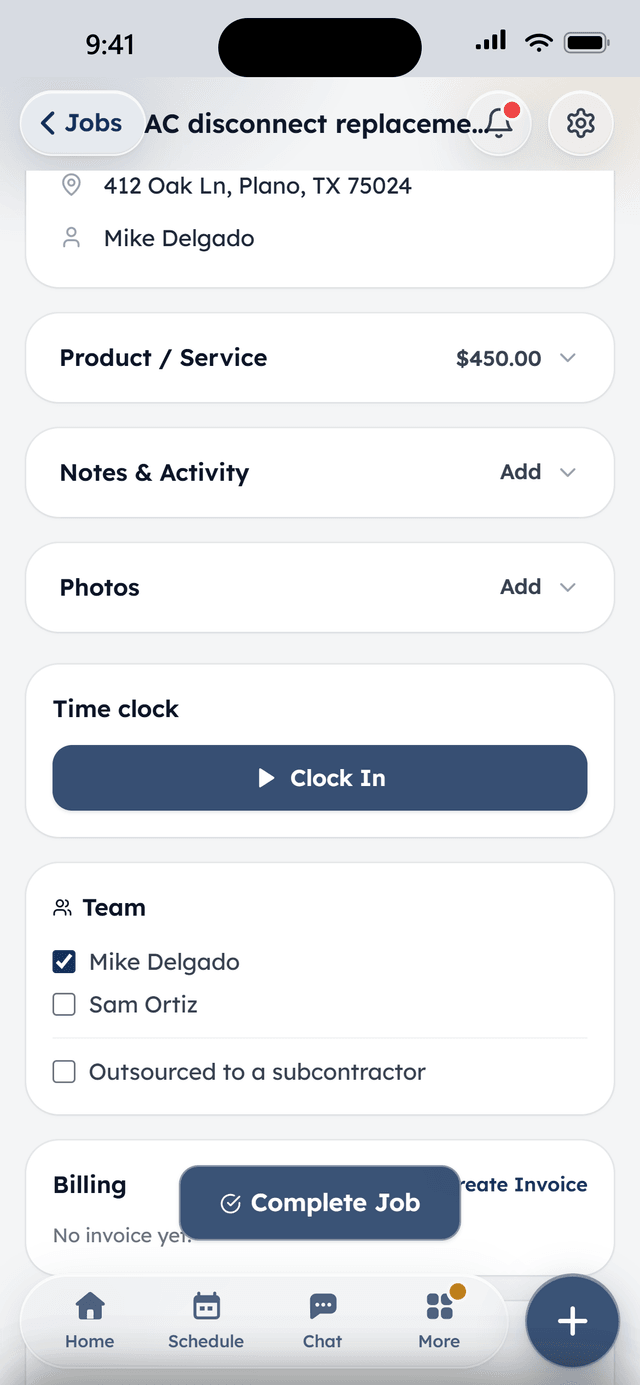
Techs clock in and out right on the job. Weekly timesheets roll up per person, managers can fix a forgotten clock-out, and every logged hour becomes real labor cost on that job's margin — not a guess at the end of the month.

How it works
Clock in on the job
One tap from the job screen in the field — no separate app, no hardware.
Hours roll up automatically
Weekly timesheets per person, with a live map of who's currently on the clock for owners and admins.
Cost hits the margin
Hourly cost × logged time appears as a labor line on the job's profit card, next to materials and revenue.
What's included
In Core, the free plan, unless marked with an add-on.
Time tracking & timesheetsPro
Techs clock in and out right on the job, on every plan. With Pro, weekly timesheets roll up per person, managers can fix a forgotten clock-out, and logged hours flow into each job's profit margin as real labor cost.
Team mapPro
See who's on the clock and where — a live map of clocked-in techs. Location is only ever collected while someone is clocked in, never off hours.
Job profitability
Each job shows its margin — revenue against materials and real labor cost from the time clock — so you know which work is worth chasing.
Roles & permissions
Owner, admin, sales, and tech roles out of the box, each seeing what they need and nothing they don't. Two users are included free; more are $10 a month each, or unlimited with Pro.
From the field
Owners who run their day on WorkBench.
“I used to juggle texts, a spreadsheet, and a separate card reader. Now a customer books online, I send the quote from my phone, and they pay the invoice from a link. One app instead of five.”
 BrendanOwner, Excellent PC Building
“Install season is a sprint. WorkBench keeps every house on the route in order, the crew knows exactly where to go, and deposits are in before we ever pull out a ladder.”
 EdanOwner, Knight Light Christmas Lighting
Questions
Where do techs clock in and out?
Right on the job, from the WorkBench app in the field — no separate time-clock app or hardware to buy.
What if someone forgets to clock out?
A manager can fix a forgotten clock-out from the timesheet view; every edit is stamped with who made it, so the record stays honest.
Does time tracking affect job pricing?
Yes — set an hourly cost per person once, and logged hours flow into that job's profit margin as real labor cost, next to materials, so you can see which jobs are actually worth taking.
Is location tracked while techs are off the clock?
No. Location is only ever collected while someone is clocked in on a job — never in the background, never off hours.
Keep exploring
Free to start. Full access, not a trial.
Two users included, flat-priced add-ons when the crew needs more. Apply, and we'll onboard your company personally.