
Painting contractor software for multi-day jobs and estimates that close.
An estimate with the trim and the ceilings as options the homeowner picks, a deposit before you buy paint, a three-day job on the calendar, and the final invoice paid when the tape comes off. WorkBench FSM is field service management software built for painters, and the core of it is free.

How it works
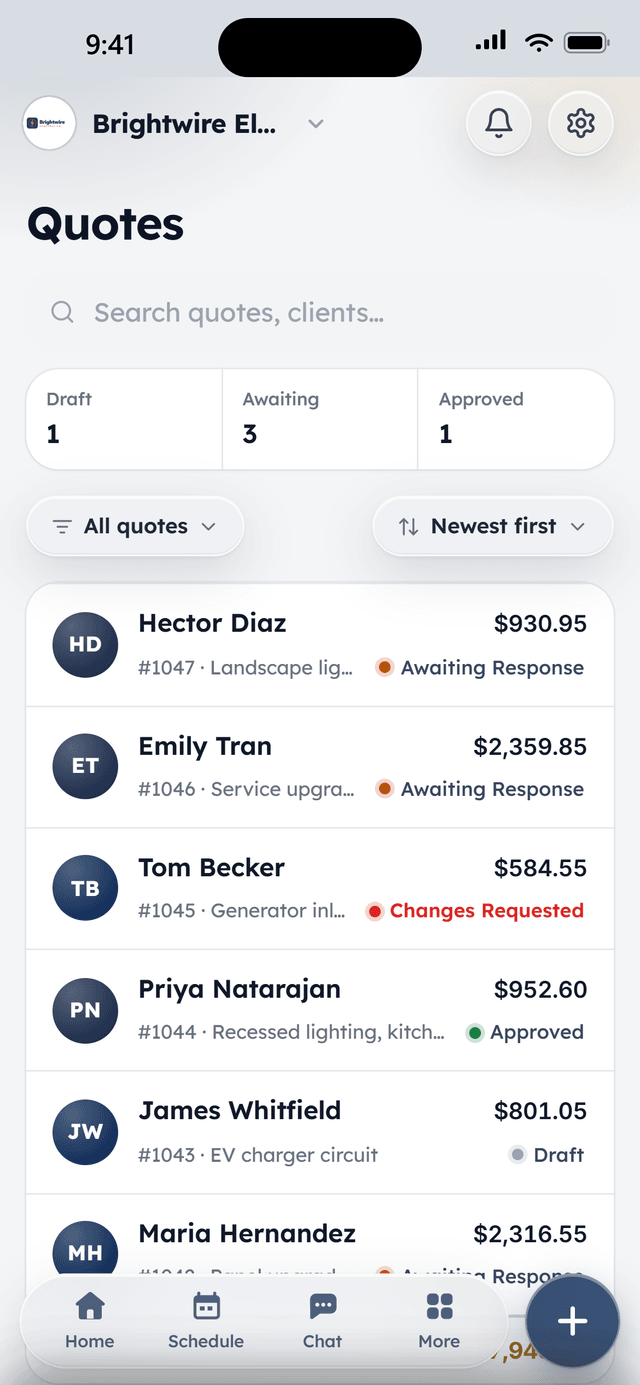
Estimate with the options built in
Price the walls, then add the trim, the ceilings, and the second coat as toggles the client switches on or off. They see the total change, sign on their phone, and pay the deposit.
A job that runs three days
Schedule the job across the days it takes, with the crew on each one. Photos of the prep and the progress go on the job from the phone, so the office can answer the client without calling you.
Final walk-through, final invoice
Convert the accepted estimate to the invoice in one click, less the deposit already paid. The client pays by card or bank transfer from the link, and WorkBench asks for the review.
What's included
All of it is in Core, the free plan.
Quotes with e-signature
Line items, optional add-ons the client can toggle, discounts, and deposits. Clients review and sign from their phone; accepted quotes convert to jobs in one click.
Deposits up front
Collect a deposit at quote approval — card or bank transfer — so the job is funded before the truck rolls.
Scheduling & dispatch
Month, week, and day views with drag-to-schedule, time blocks, and per-tech filtering. The calendar is the command center, not a read-only report.
Jobs with notes & photos
Every job carries its history: status, notes, and before/after photos from the field, so the office and the crew see the same thing.
One-click invoicing
Finish a job, send the invoice. Clients pay from a link on their phone; deposits and partial payments are first-class, not a workaround.
Client hub
A magic-link portal — no account, no password — where clients see upcoming visits, review invoices, sign agreements, request more work, and pay.
From the field
Owners who run their day on WorkBench.
“I used to juggle texts, a spreadsheet, and a separate card reader. Now a customer books online, I send the quote from my phone, and they pay the invoice from a link. One app instead of five.”
 BrendanOwner, Excellent PC Building
“Install season is a sprint. WorkBench keeps every house on the route in order, the crew knows exactly where to go, and deposits are in before we ever pull out a ladder.”
 EdanOwner, Knight Light Christmas Lighting
Questions
Can an estimate offer options like trim or ceilings?
Can I schedule a job that takes several days?
How does the deposit come off the final invoice?
Can the client see progress photos?
Is WorkBench really free for a painting company?
Free to start. Full access, not a trial.
2 users included, flat-priced add-ons when the crew needs more. Your account opens the day you sign up.